目录
- Your Tasks
- You have no tasks
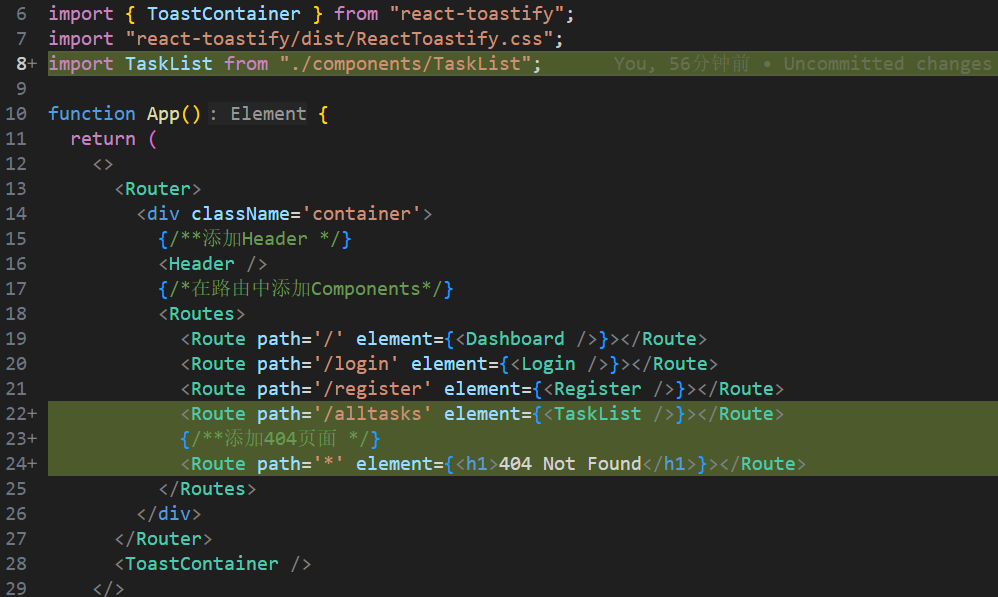
- 4、添加主页的taskList路由
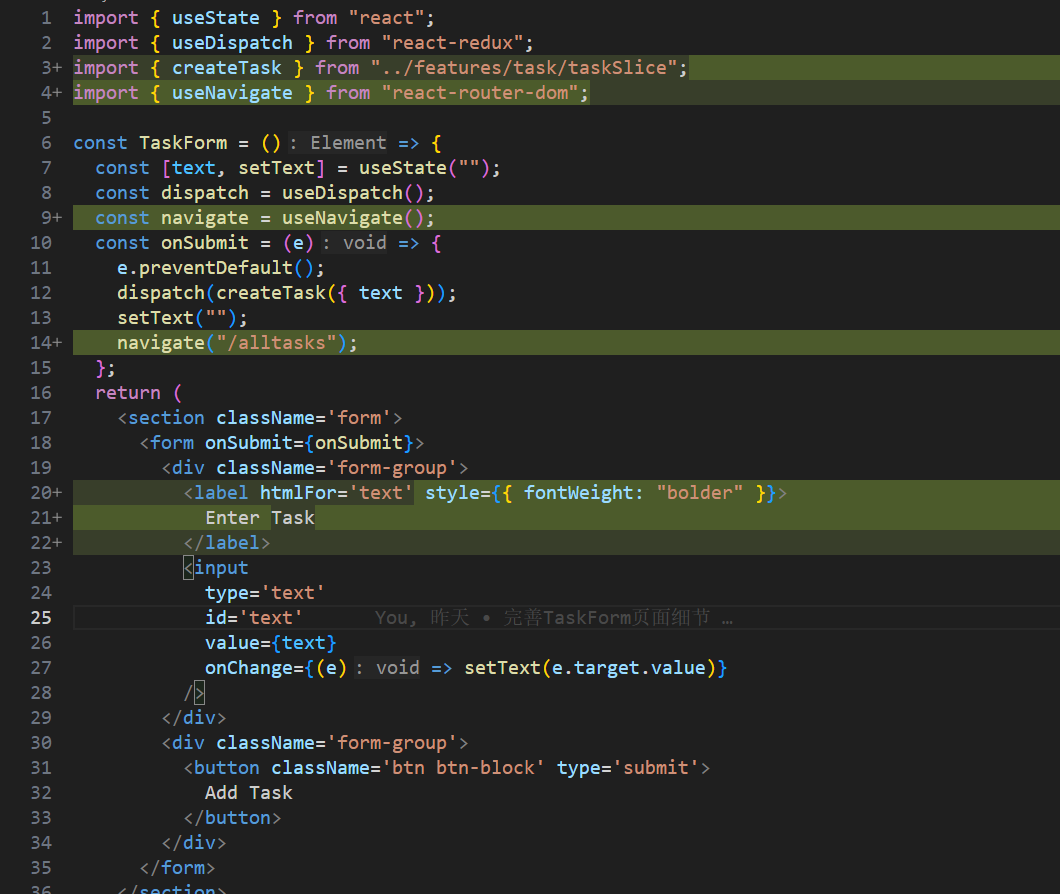
- 5、更新TaskForm的显示样式
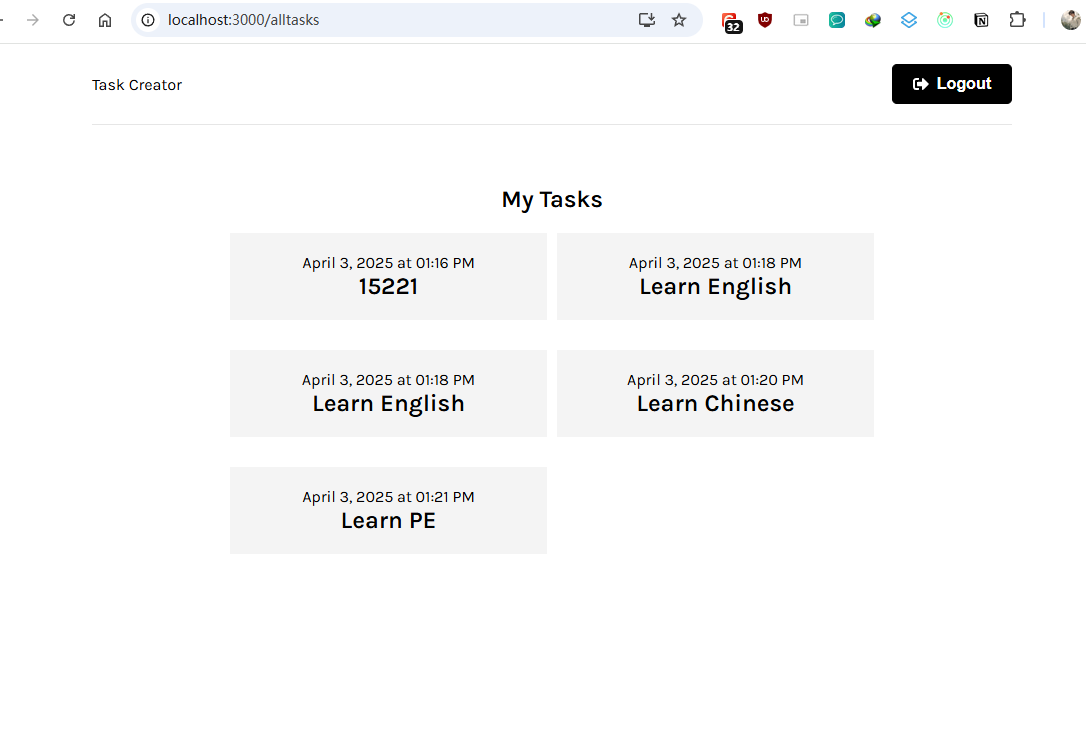
- 6、最终的效果如下图所示
- 📝Deleting tasks
- 1、添加删除按钮
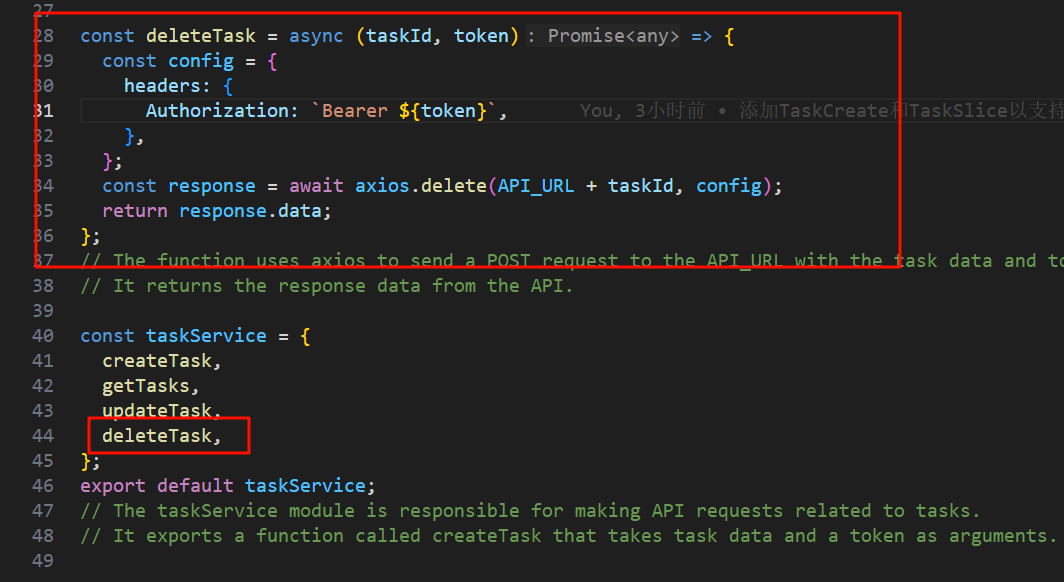
- 2、添加API的调用逻辑
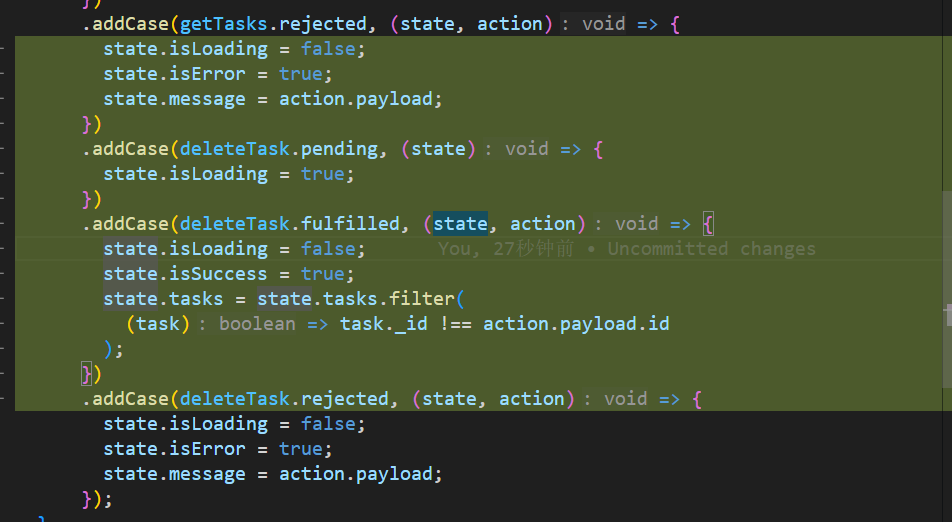
- 3、添加状态管理
- 4、引入删除按钮的事件处理函数deleteTask
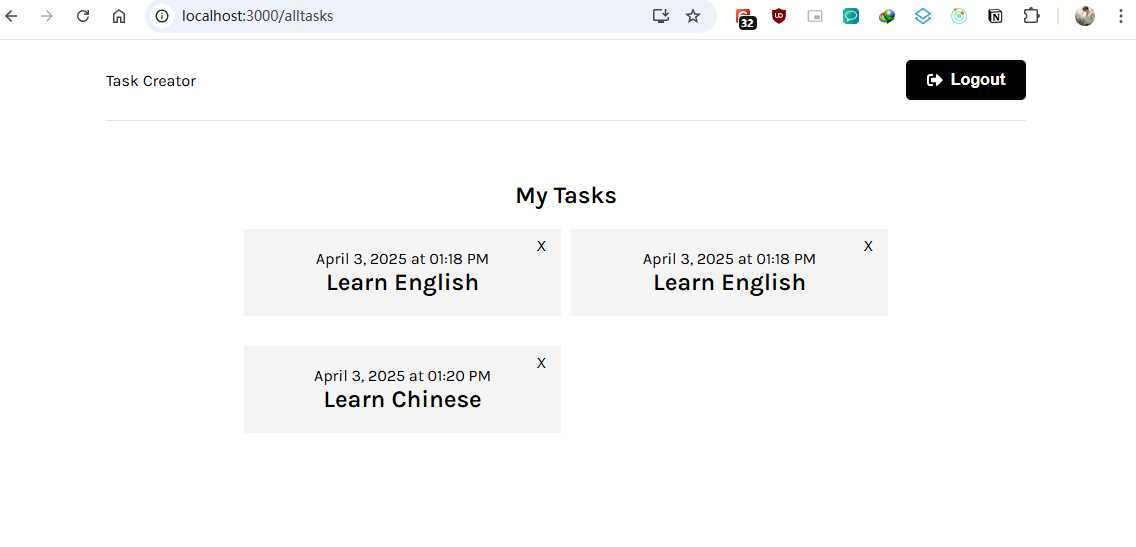
- 5、最终显示效果
- 📎 参考文章
# 📝Create task with Async Thunk
上一章末尾我们指定了submit按钮的处理函数creatTask,但是没有实现,现在来实现它们
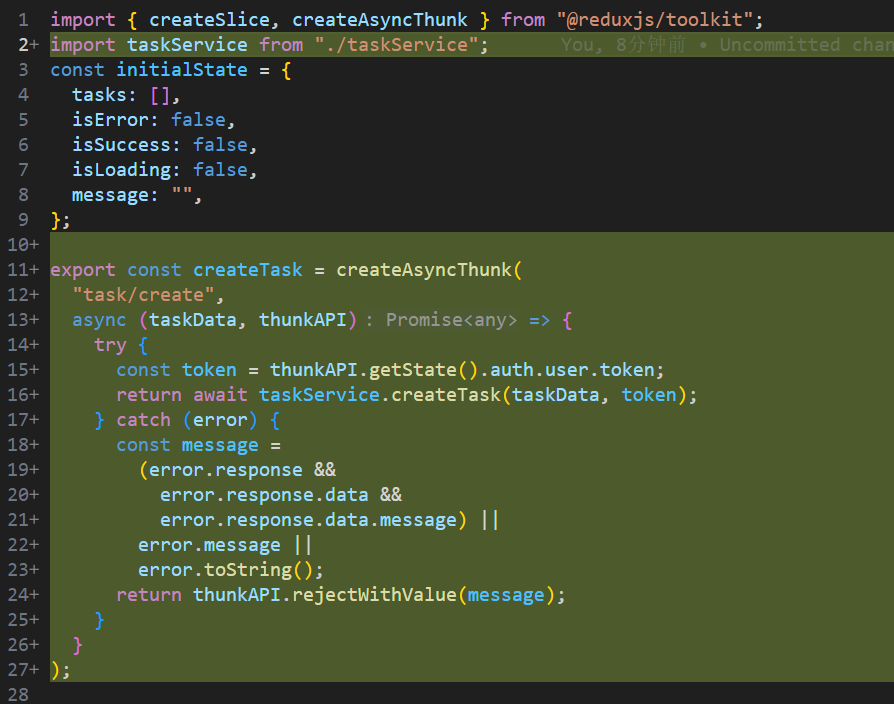
## 1、在taskSlice中添加createTask的具体逻辑
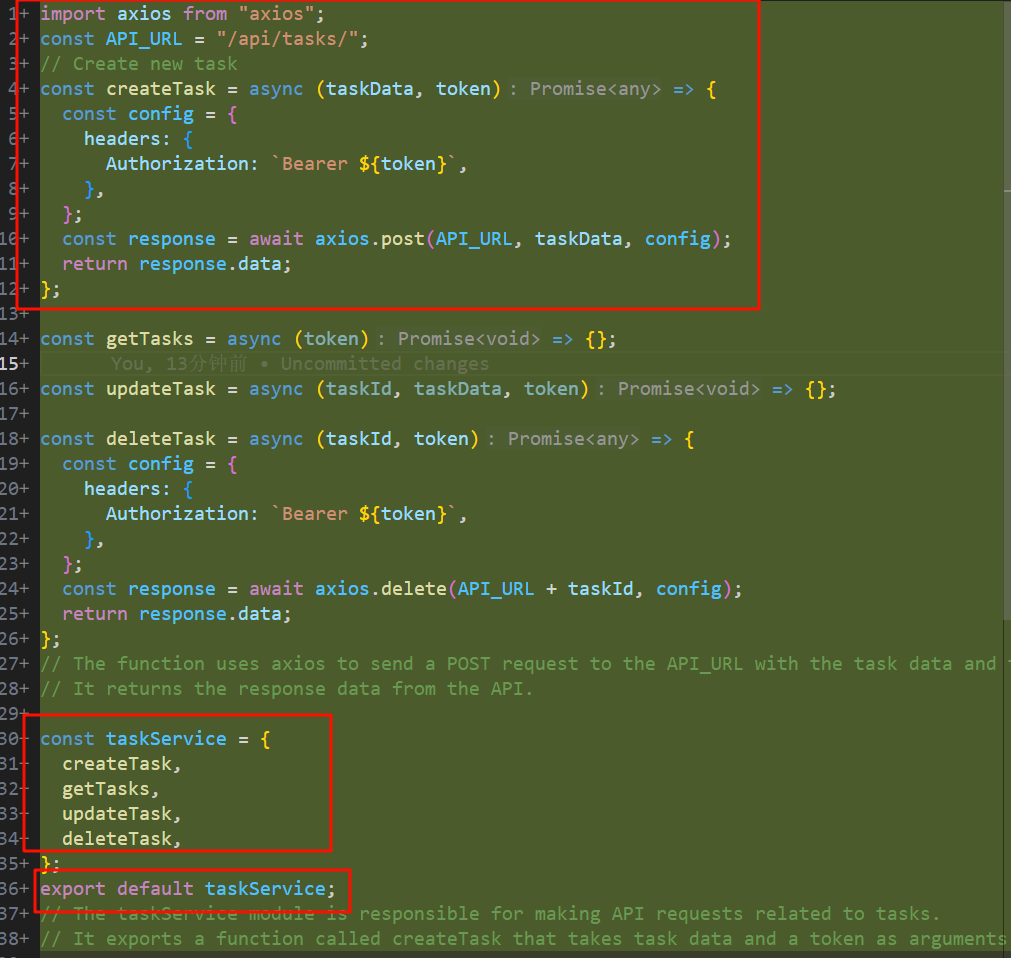
## 2、在taskService中添加creatTask调用后端API的逻辑
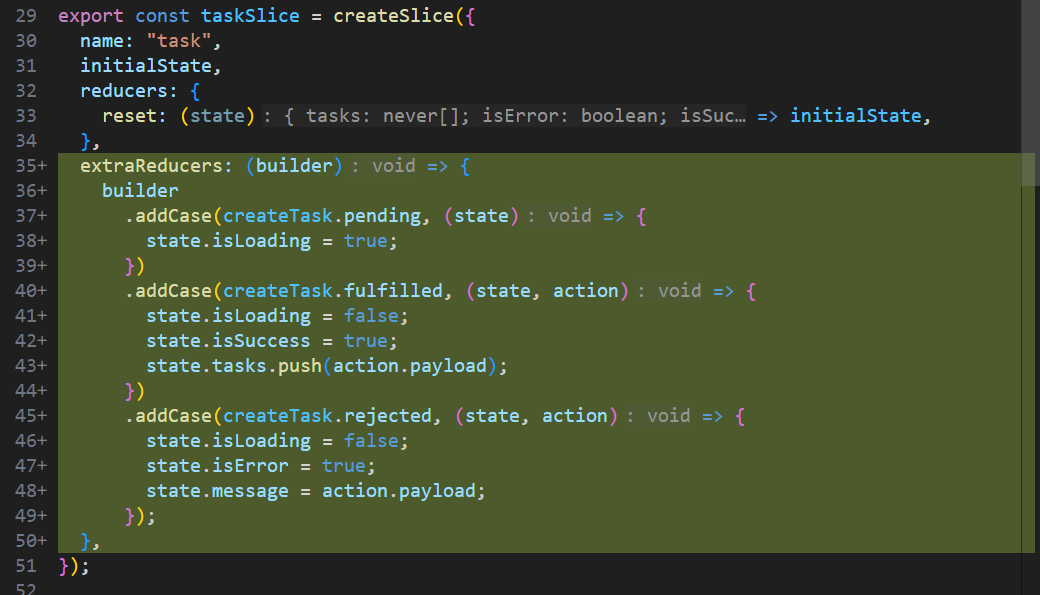
## 3、在taskSlice中添加extraReducers
## 4、creatTask功能验证
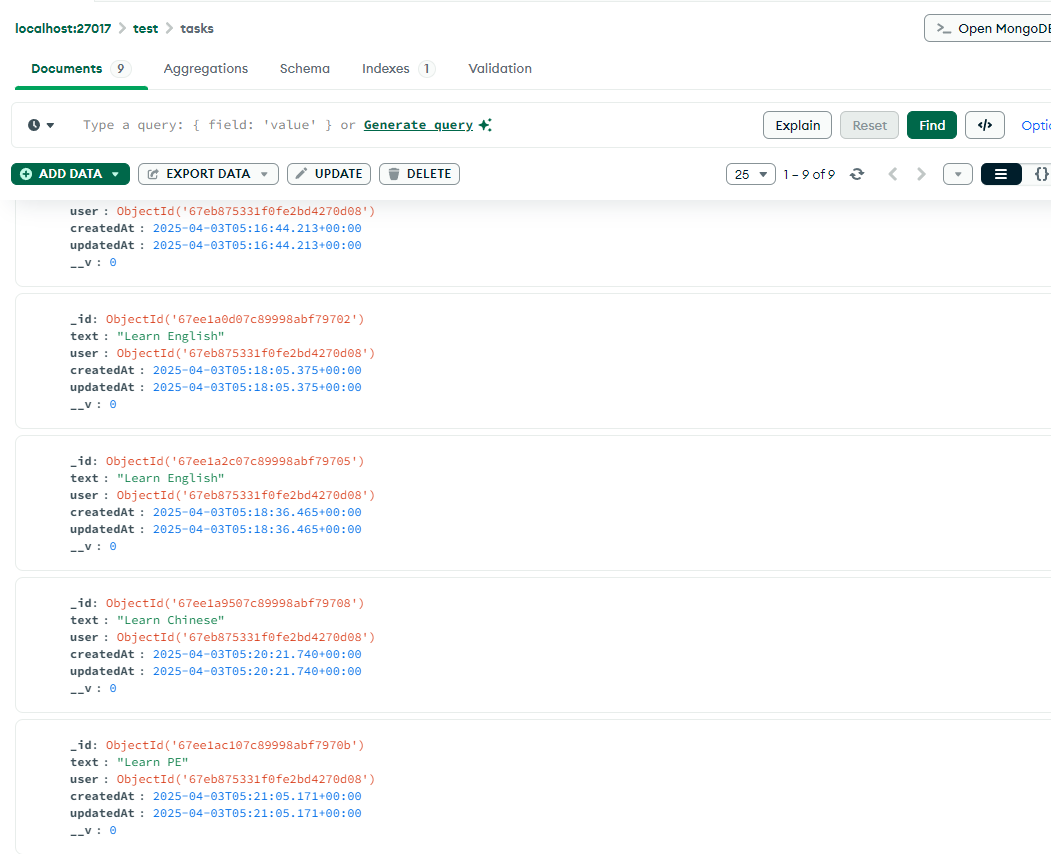
在输入框中属于任意的文本:例如“Learn PE”,会显示类似如下的数据
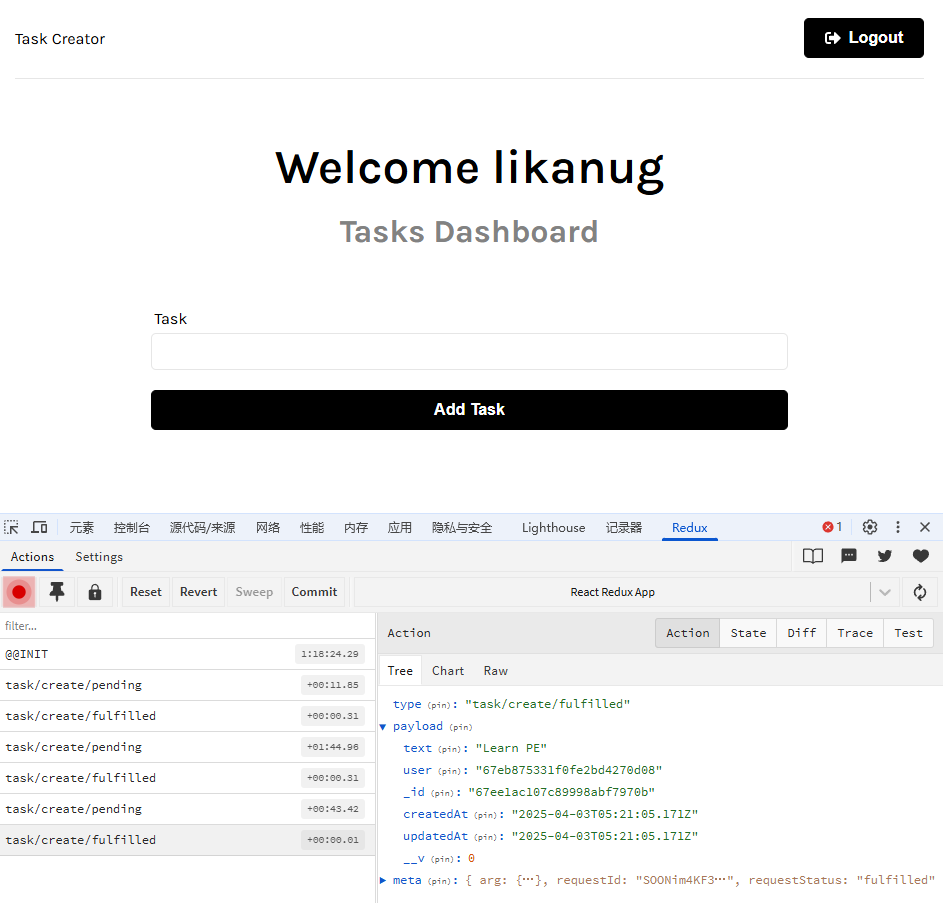
数据库中也能查询到相应的数据
# 📝Fetching tasks form the server
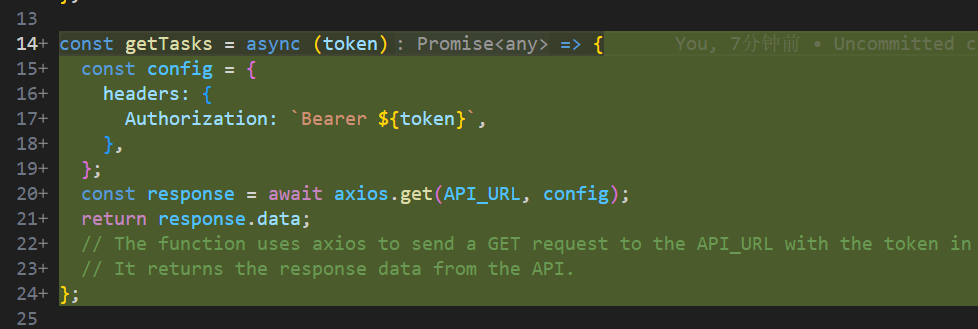
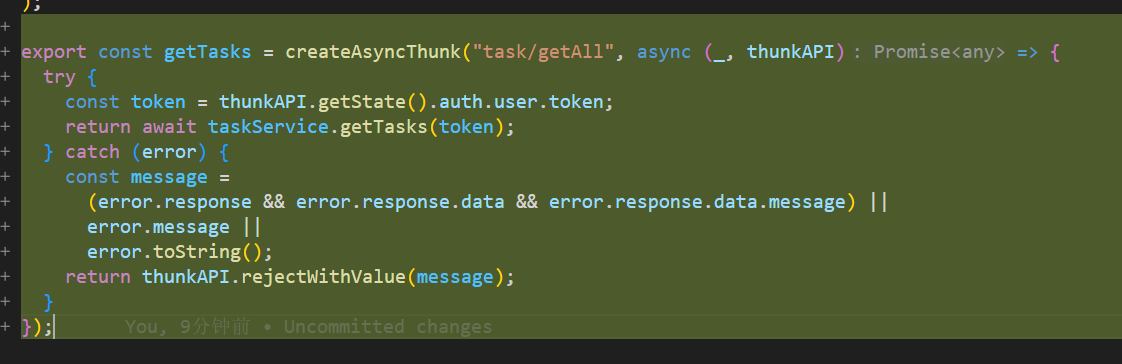
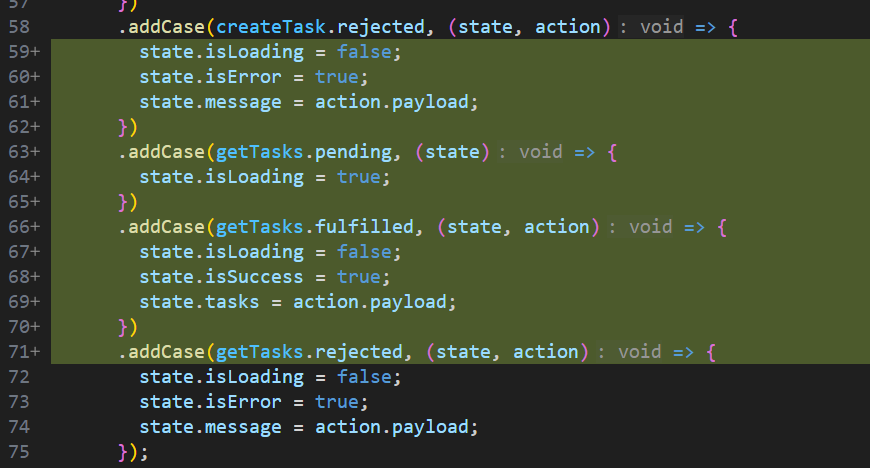
上面已经写了getTask中模板代码,现在完善从后端API获取数据的业务逻辑,具体的流程和create Task相同
## 1、在taskService中创建getTask的调用后端API的逻辑
## 2、在taskSlice中创建getTask的asyncThunk
## 3、在taskSlice中增加getTask的状态管理
# 📝Displaying tasks
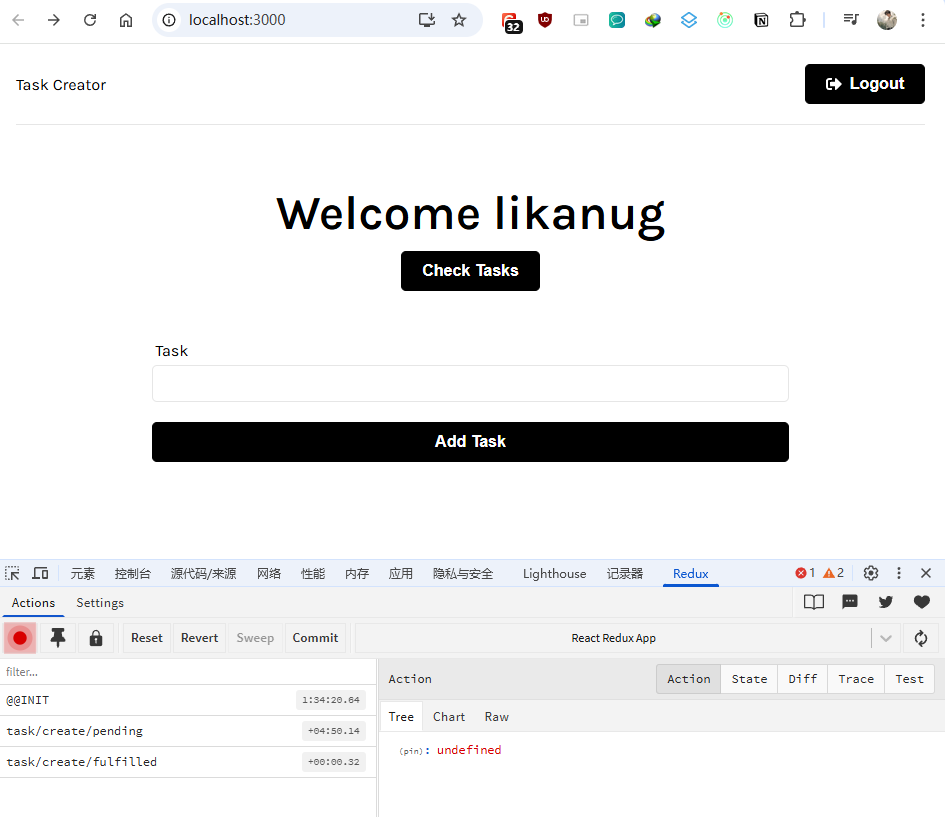
## 1、在Dashboard增加task的显示入口
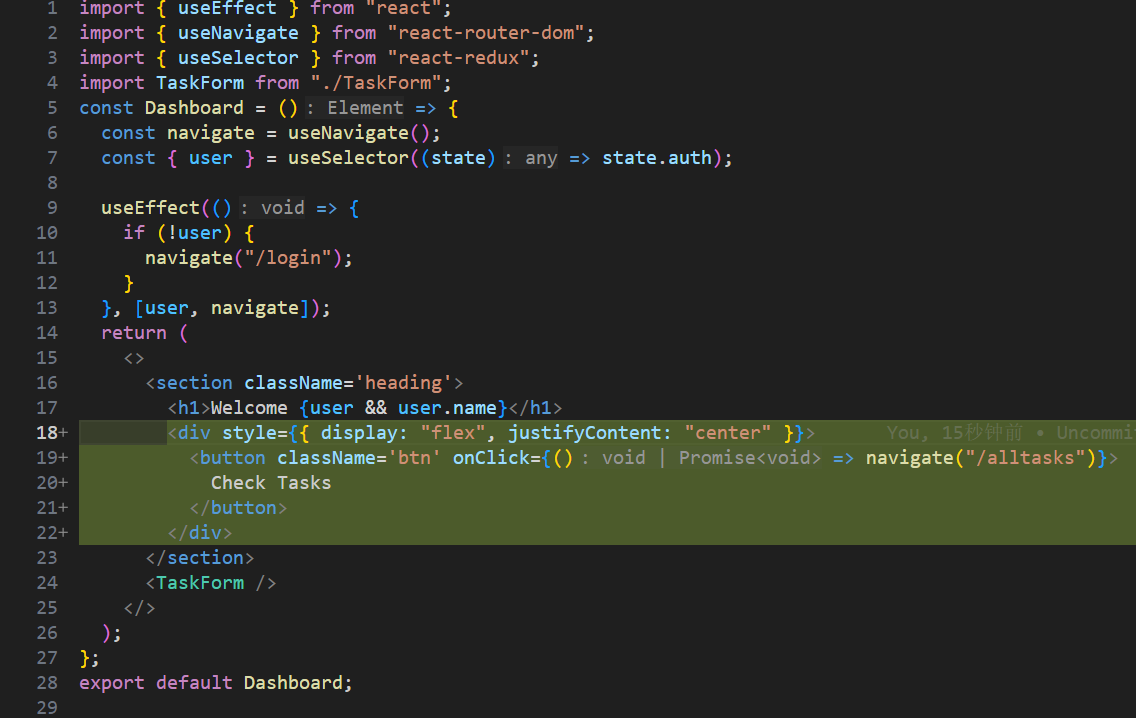
也买了显示效果如下:
## 2、创建TaskList component
```go
import { useEffect } from "react";
import { useSelector, useDispatch } from "react-redux";
import { getTasks, reset } from "../features/task/taskSlice";
import TaskItem from "./TaskItem";
import Spinner from "./Spinner";
import { useNavigate } from "react-router-dom";
const TaskList = () => {
const navigate = useNavigate();
const dispatch = useDispatch();
const { tasks, isLoading, isError, message } = useSelector(
(state) => state.tasks
);
useEffect(() => {
if (!user) {
navigate("/login");
}
if (isError) {
  console.log(message);
}

dispatch(getTasks());

return () => {
  dispatch(reset());
};
}, [navigate, isError, message, dispatch]);
return (
<>
Your Tasks#
Welcome to your task list
{isLoading ? (
) : tasks.length > 0 ? (
{tasks.map((task) => (
))}
) : (
You have no tasks#
)}
</>
);
};
export default TaskList;
// The TaskList component is responsible for displaying the list of tasks.
// It uses the useSelector hook to access the tasks from the Redux store.
// It also uses the useDispatch hook to dispatch actions to the Redux store.
// The component fetches the tasks when it mounts and displays them in a list.
// If there are no tasks, it displays a message indicating that.
// The component also handles loading and error states.
// The TaskList component is a functional component that displays a list of tasks.
## 3、创建TaskItem component
```go
import { useDispatch } from "react-redux";

const TaskItem = ({ task }) => {
  return (
    <div className='task'>
      <div>
        {new Date(task.createdAt).toLocaleString("en-US", {
          month: "long",
          day: "numeric",
          year: "numeric",
          hour: "2-digit",
          minute: "2-digit",
        })}
      </div>
    </div>
  );
};
export default TaskItem;
4、添加主页的taskList路由#
5、更新TaskForm的显示样式#
6、最终的效果如下图所示#
📝Deleting tasks#
其实流程和上面的一样,添加删除按钮、添加API的调用逻辑,添加状态管理
1、添加删除按钮#
 添加了一个删除按钮和一个按钮的事件处理函数deleteTask(先占位后面再实现)
2、添加API的调用逻辑#
taskSlice.js的异步调用
 taskService.js中的具体API调用
3、添加状态管理#
taskSlice.js
4、引入删除按钮的事件处理函数deleteTask#

5、最终显示效果#
 点击 右上角的“X”就是删除“Task”
📎 参考文章#
未支持的 Notion 内容:external_object_instance 在 Notion 中打开
